
RoboForm's icon still looks like something you'd double-click off a floppy disk sleeve. That's the first reaction from almost anyone I show it to, and it nearly kept our marketing ops team from taking it seriously as a fix for our password-security mess. I run these vault reviews the unofficial way, testing on my own dime, on a laptop set aside just for this, and RoboForm earned its spot in the rotation for what it does for data privacy on a team that hands out logins like breath mints.
Quick disclosure before any of that: some of the links to password managers and privacy tools below are affiliate links, RoboForm included. Sign up through one and I get a commission, at no extra cost to you. Every app named here got paid for with my own card and lived with long enough that I can tell you where the marketing copy stops and the actual software starts. My full transparency policy sits on the About page.
Marketing Ops Password Habits Were a Slow-Motion Disaster
Forty-some logins is roughly what our team juggled by the time I got serious about this: CRM, ad platforms, a pile of SEO tools nobody remembered signing up for, half a dozen scheduling apps. RoboForm became the test case I leaned on hardest, mostly because our so-called system before it was routing every login reset through a shared marketing@company.com inbox and hoping whoever checked it first got there before a client did. That fix lasted about as long as you'd expect.
That mess is also why the HubSpot near-miss still nags at me: a fake support email with one extra letter buried in the sender's domain, close enough that I nearly handed over the whole stack before catching it. Somewhere around week six of actually using RoboForm instead of just poking at it, I deleted the shared password spreadsheet for good, and closing that file felt less like finishing a task, more like clearing out a drawer of bills you'd been avoiding. I detailed that whole migration slog in Best Password Managers for B2B SaaS Marketing Teams in 2024.
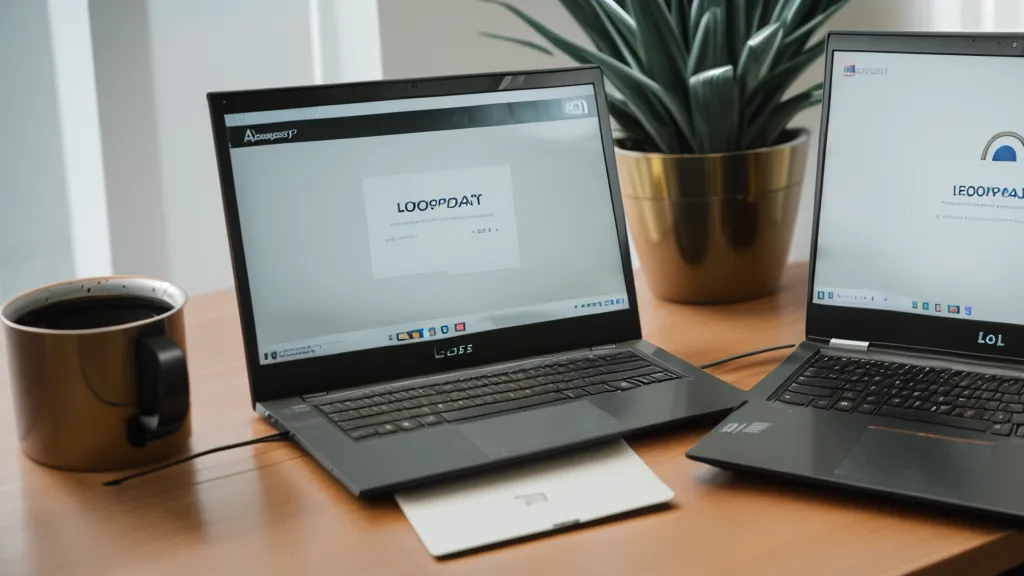
RoboForm Looks Like 1998 But Runs on Real Encryption
Visually, RoboForm hasn't caught up to the decade. Open it next to 1Password or Proton Pass and the contrast is almost funny: those two look like they were designed this year, RoboForm looks like tax software from my dad's home office in the nineties. None of that touches what's actually protecting the data, though. Underneath the dated skin is AES-256 encryption, the same standard the sleeker apps use.
Here's the part that actually matters to me: RoboForm runs a zero-knowledge setup, meaning the company stores only scrambled ciphertext, and your master password never leaves your device or reaches their servers, so nobody there can hand it over even if they wanted to. That's a sturdier setup than trusting whatever the browser remembers by default, which is really a browser feature standing in for a real vault. It's also worth asking, whenever you're weighing password managers, whether your two-factor codes live in that same vault as the passwords they're supposed to be backing up: that single detail decides how expensive a stolen master password actually turns out to be.
Where RoboForm Actually Wins: The Forms
Form filling is where RoboForm quietly stops being a punchline. Setting up a new CRM tool a few weeks back meant working through a multi-page checkout flow with fields that weren't labeled cleanly, the kind of form that trips up 1Password and Dashlane both. RoboForm found the CVV field and the state dropdown without me nudging it once. It's the best form filler I've used, full stop, and it manages that on forms that seem built to confuse anything automated.
RoboForm's own security audit tool is what let me prove to our IT director that the spreadsheet had three duplicate passwords sitting on our most expensive ad accounts, which settled that particular argument fast. More than once a sync hiccupped mid-scan, and I snapped the laptop shut out of pure frustration before trying again. It's a one-time scan you run when you remember to, not the kind of standing breach monitoring that flags a compromised account the moment it shows up in a leak, the way some cloud-native tools do.

Is Sovereignty Worth the Extra Maintenance?
Choosing RoboForm means choosing more control over where your data lives and how it syncs, and control comes with a maintenance cost attached. Anyone who wants a true set-it-and-forget-it experience will probably be happier with something like Proton Pass. A few gaps show up once you live with RoboForm daily: there's no Travel Mode to hide vaults before you cross a border, family sharing works but doesn't offer the fine-grained permission controls some team-focused tools build in, and exporting your vault, if you ever decide to leave, is a clean CSV pull rather than anything painful.
A reader named Cressida Fowler, an account manager out in Phoenix, emailed after her company's IT department mandated RoboForm across the board and she went looking for a second opinion. She's since taken to forwarding my posts to her IT manager with her own notes scrawled in the margins, which is either flattering or a little terrifying, I haven't decided. Sovereignty cuts both ways: I still haven't put together a proper emergency kit for RoboForm the way I have for my other vaults, and that's a gap I keep meaning to close. A secure vault only covers half the problem anyway if your phone number and old addresses are sitting on every data broker site a phisher might check first, which is the whole reason Incogni stays in my toolkit. I wrote about that part of the routine in Using Incogni to Remove My Personal Data From Data Broker Sites.
Comparing the Heavy Hitters
Laid out side by side, here's how RoboForm stacks up against the two apps I mentioned above, based on what I've actually clocked using all three on the same test laptop:
| Feature | RoboForm | 1Password | Proton Pass |
|---|---|---|---|
| Encryption | AES-256 | AES-256 | AES-256 |
| Family/Team Plan | 5 users flat rate | 5 users ($4.99/mo) | 6 users (bundle) |
| Form Filling | Best-in-class | Very Good | Average |
| User Interface | Dated/Legacy | Modern/Polished | Minimalist |
So, Is RoboForm Actually Safe?
Short answer: yes. The interface hasn't aged well, but the security architecture underneath it has, and longevity in this space counts for something. Getting the whole team onto RoboForm required my manager Soledad Whitaker's sign-off, and true to form, her approval landed in Slack at eleven at night with an expectation I'd have the rollout plan back to her by eight the next morning. None of this replaces a strong master password, though. Whatever vault you land on, that's still the one piece of the setup nobody else can fix for you.
One more thing worth saying plainly: if you're ever stuck trying to recover old logins off a laptop that's already half-dead, a password manager can't get you into the machine in the first place, that's a job for something like EaseUS Key Finder instead. RoboForm isn't the flashiest tool in my rotation, and it never will be, but it's the one I reach for when a form needs filling correctly the first time and there's no room for a mistake. The lesson that's actually stuck with me: the tool that looks the most dated on your screen can still be the one doing the most reliable work underneath, so judge these things by what they get right under pressure, not by how they look when you open them.